


AR Draw Sketch : Trace Art 3D
3.321.00 Reviews
App Specs
- Version
- 3.0
- Updated On
- License
- Free
- Downloads
- 500,000+
- Developer
- Ghanshyam Sahu
- Categories
- Art & Design
- Platform
- Android
Screenshots
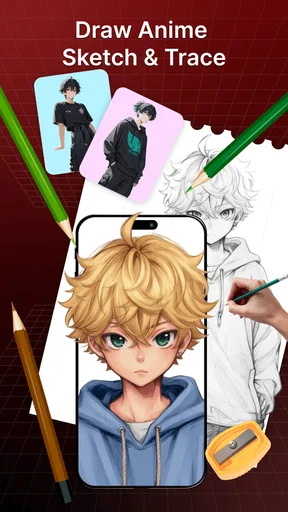
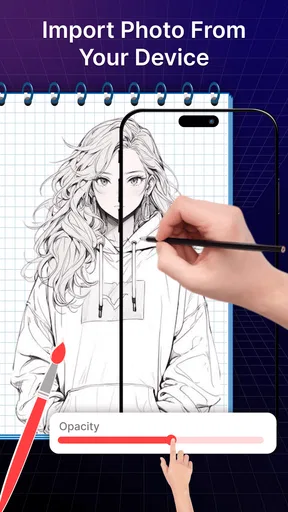
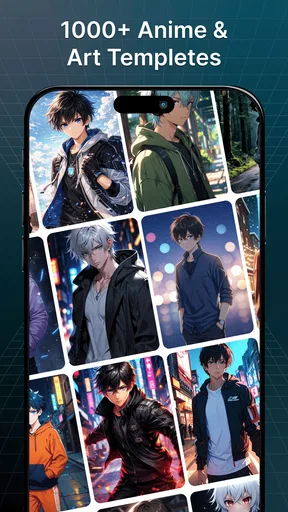
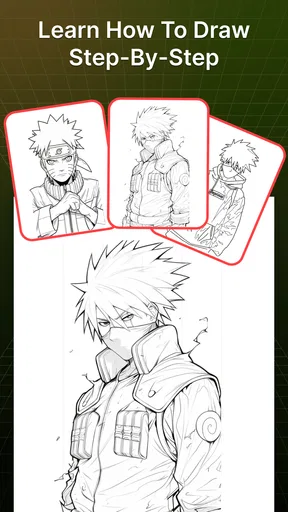
 Analysis by AppCompare
I find an AR tracing app most useful when I treat it as a drawing aid, not as an automatic shortcut to finished art. With AR Draw Sketch: Trace Art 3D, the phone’s camera view gives me a reference to follow on paper, so the main challenge shifts from inventing every shape to controlling my pencil and keeping the page in place. That makes it an approachable starting point if drawing from a blank sheet feels daunting, while still leaving the actual line work to me.
What to expect when you start drawing
The first few minutes are mostly about arranging a workable setup. I would place the paper on a steady surface, prop the phone above it, and check that the camera view covers the area I plan to use. A small shift in the phone can move the projected reference, so getting the support stable before tracing saves frustration. This is less like drawing directly on a touchscreen and more like using a digital guide over a physical page.
That distinction matters if you are choosing between this and a conventional drawing app. A tablet app is usually better for undoing strokes, changing brushes, and keeping the whole process digital. This app’s appeal is the paper-and-pencil workflow: I can practice hand control and make a tangible sketch without first learning a full digital art interface. If I want polished layers or detailed editing tools, I would choose a dedicated art program instead.
The Magic of Augmented Reality in Art
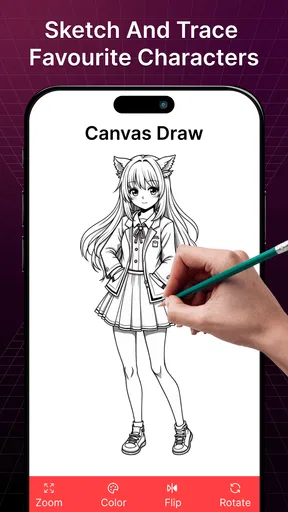
First off, the coolest part of AR Draw Sketch: Trace Art 3D is the use of augmented reality. It’s not every day you get to see technology meet creativity in such a seamless way. The app projects an image onto your paper through your phone’s camera. You simply follow along and trace, turning your blank page into a work of art. It’s like having a magic stencil that moves with you!
What’s really neat is how intuitive the whole process is. You don’t need to fiddle around with confusing settings or be a tech wizard. Just choose your image, set your device on a stand above your paper, and start sketching. The app provides a wide variety of images to choose from, ranging from simple shapes for beginners to intricate designs for more advanced artists.
A Little Help from Your Virtual Friend
One of my favorite features has to be the guiding lines. As you trace, the app gives you subtle hints, showing you where to start and end your lines. It’s like having a gentle nudge in the right direction, perfect for those who might be a bit hesitant to start.
And let’s talk about the customization options. You can adjust the opacity of the image to make it more or less visible, depending on your confidence level. Plus, there’s a handy grid overlay feature that helps with alignment and proportion, which is a game-changer for newbies like me.
Worth Reading Before You Choose

EA SPORTS FC Mobile 26 Is a Bigger Football Game, but It Takes Time

Flipboard Shows What News Apps Must Do Beyond the Feed

Switching to Android Auto Means Rethinking Your Driving Routine

Google Calendar Makes a Crowded Week Easier to Manage

Ludo King Makes the Most of the Minutes Between Plans

Baby Panda World Brings Quick Play to Modern Phones, but Its Game Library Feels Busy
A Little Planning for Longer Sessions
Opacity and the grid are most useful when I pick a clear goal for each sketch rather than tracing every visible mark. For example, I might first follow the largest outline, then use the grid to check where the main features sit before adding smaller details. That makes the reference a guide instead of a set of lines I feel obliged to copy exactly. It also gives me room to change a shape or leave parts unfinished when I want the result to feel more personal.
A practical everyday use is a short drawing break at the kitchen table: I choose a simple subject, secure the phone, and make a quick pencil study while waiting for something else to finish. For a child’s activity, an adult can help arrange the phone and paper, then let the child focus on tracing. The Everyone age rating makes the app broadly suitable, but younger users may still need help with device positioning and handling the phone safely around pencils, paper, and a stand.
When the Reference Helps—and When It Gets in the Way
Tracing can teach me to notice proportions and follow a contour, but it does not automatically teach me how to construct a subject from memory. After a sketch, I would try drawing the same subject again without the overlay, or cover part of the reference and finish that section myself. That extra step turns a tracing session into a more useful practice exercise. If your goal is to develop freehand drawing, use the app as one part of practice rather than a substitute for observation and sketching without a guide.
The setup also has a physical trade-off: because I am looking at the phone while drawing on paper, my hand can block part of the view, and leaning over the page for a long time can become uncomfortable. A stable stand and a comfortable chair help more than repeatedly adjusting the image mid-stroke. I would test the arrangement with a quick outline before starting a detailed design; if the phone shifts, it is easier to fix the position before the page is full of marks.
Speed, Stability, and Device Fit
I would expect the basic tracing workflow to feel straightforward once the image and camera view are ready, but the overall pace depends on setup as much as on the app. Positioning the phone, finding a comfortable viewing angle, and keeping the page aligned all take attention. For a quick doodle, that preparation may feel like extra work; for a focused practice session, it becomes part of the routine. I would not judge the app by how fast it opens alone—the useful measure is whether I can keep the reference steady while drawing.
Longer sessions put more demands on the arrangement than short ones. The phone needs to remain in place, the camera view needs to stay useful, and I need enough room to move my hand without bumping the stand. If the image appears to drift or the view becomes hard to follow, pausing to reset the page and device is more sensible than trying to compensate with increasingly uneven strokes. I would also save a finished paper sketch separately if I care about keeping it; the app’s tracing role does not replace looking after the physical drawing.
On the software side, I would keep expectations measured. Camera-based drawing depends on a clear view and a device that can run the app comfortably, so older or less capable phones may make the experience less pleasant even when they meet the minimum operating-system requirement. The current version is 3.0, and the app is listed for Android 8.0 and later. Those details help with basic compatibility, but they do not guarantee identical smoothness on every device. If the camera view stutters or the phone gets warm during a session, I would shorten the session and close other demanding apps before deciding whether the tracing workflow suits that device.
Unlocking Creativity with Ease
What’s awesome is how this app encourages creativity without the fear of messing up. You can try different images, experiment with styles, and learn at your own pace. It’s a fantastic way to improve your skills without the pressure of a traditional classroom setting.
And if you’re worried about the app being just for kids or beginners, think again. There’s a challenge mode where you can test your skills with more complex designs. It’s a great way to push your boundaries and see just how much you’ve improved over time.
Who I’d Recommend It To
I can see this being a good fit for someone who wants a low-pressure way to begin drawing, a parent looking for a guided paper activity, or an artist who wants to practice clean outlines without setting up a digital canvas. It is less suitable for someone who wants the phone to produce finished artwork automatically, or who needs professional editing controls. The tracing reference can make starting easier, but it cannot make every line accurate for you; patience and a steady hand still matter.
If you are unsure whether the approach will suit you, I would start with a simple image and a small sheet of paper rather than committing to a long session. That lets you test the camera angle, opacity, and grid in a few minutes. Once the setup feels comfortable, you can move on to more involved designs. If it remains awkward to keep the phone and page aligned, a printed reference placed beside the paper may be a better fit for your habits.
Price, Audience, and Overall Value
The app is free to install, with in-app purchases listed at $5.49 per item. I would try the basic experience before paying for anything, then consider a purchase only if it supports the way I actually draw. Its 3.3 average from around 422 ratings suggests that experiences are mixed rather than universally smooth, so I would approach it as a useful niche tool, not a guaranteed fit for every phone or artist. Ghanshyam Sahu is the developer, and the app has reached over 500,000 installs.
For comparison, a printed tracing sheet is simpler and does not rely on a camera view, but it is less flexible when I want to change the reference or adjust how strongly I see it. A general drawing app offers more control over digital edits but asks me to work on a screen. This one sits between those options: it brings a changeable visual guide to paper, while asking me to manage the physical setup myself. That middle ground is its clearest reason to try it.
Perfect for Sharing and Showcasing
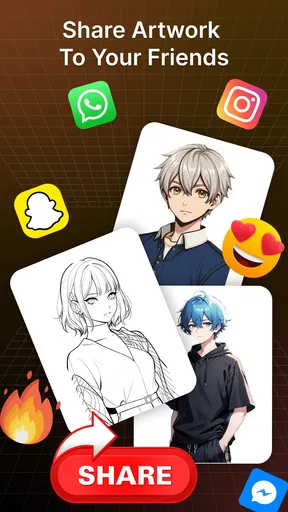
Once you’ve completed your masterpiece, the app makes it easy to share your work with friends or on social media. It’s a wonderful way to get feedback and maybe even inspire others to give it a try. Plus, seeing your progress over time is incredibly satisfying.
The app also offers a community feature where you can view and be inspired by others’ work. It’s like having a virtual art gallery right at your fingertips. You can even participate in monthly challenges and competitions to really get those creative juices flowing.
Overall, I’d treat this as a friendly bridge between looking at a reference and putting pencil to paper. It is free to try, rated for Everyone, and belongs to the art-and-design side of mobile apps; the rating is 3.3 from around 422 ratings, with 21 written reviews. The useful question is not whether it will make anyone an instant artist, but whether a camera-guided outline makes it easier for you to sit down and practice. For a beginner or casual sketcher who enjoys working on paper, I think it is worth a try. If you mainly want full digital editing, reliable hands-free drawing, or lessons that build freehand skills step by step, I would look elsewhere.
Pros
- User-friendly interface for beginners.
- Wide range of templates available.
- Supports both 2D and 3D sketches.
- Works offline without any hiccups.
- Regular updates with new features.
Cons
- Limited free content options.
- Occasional lag on older devices.
- Ads can be intrusive at times.
- Requires steady hand for accuracy.
- Some features locked behind paywall.
FAQs for AR Draw Sketch : Trace Art 3D
What is AR Draw Sketch: Trace Art 3D used for?
AR Draw Sketch: Trace Art 3D is an innovative app designed for artists and hobbyists who want to create realistic sketches and drawings. Using augmented reality, the app projects images onto a real-world surface, allowing users to trace them with ease. It’s a perfect tool for learning and improving drawing skills.
How does the augmented reality feature work in AR Draw Sketch?
The augmented reality feature in AR Draw Sketch uses your device’s camera to overlay images onto physical surfaces. Once you select an image, the app projects it onto a chosen surface through your screen, enabling you to trace it directly onto paper or any other medium, enhancing your drawing experience.
Is AR Draw Sketch suitable for beginners?
Yes, AR Draw Sketch is highly suitable for beginners. The app simplifies the drawing process by allowing users to trace images, which helps them understand proportions and improve their skills gradually. It offers an accessible way for newcomers to art to build confidence and develop their technique.
Are there any in-app purchases or ads in AR Draw Sketch?
AR Draw Sketch offers a basic version for free, which includes ads. There are also in-app purchases available that provide additional features and an ad-free experience. These options allow users to enhance their experience and access more advanced tools as they progress.
What devices are compatible with AR Draw Sketch: Trace Art 3D?
AR Draw Sketch is compatible with most modern Android and iOS devices that support augmented reality features. It requires access to your device’s camera and motion sensors to function correctly. Be sure to check the app store for specific device requirements and ensure your device is up to date.


